The High-Performance Stack: KVM Virtualization on Enterprise Dedicated Servers

When scaling your IT infrastructure, moving from a standard Virtual Private Server (VPS) to a dedicated server is a major milestone. However, running a single operating system on a powerful bare-metal server often leads to underutilized hardware.

This is where Kernel-based Virtual Machine (KVM) comes into play. By deploying KVM on a dedicated server, administrators can transform a single physical machine into a robust hypervisor.

This setup allows you to partition your raw hardware into multiple, fully isolated virtual machines (VMs). Each VM operates securely with its own dedicated resources and operating system.

Whether you are an agency hosting multiple clients or a developer needing secure testing environments, KVM provides the perfect balance of bare-metal performance and virtualization flexibility. In this guide, we will explore what KVM is and how its architecture works on a dedicated server.

What Is KVM (Kernel-based Virtual Machine)?

KVM (Kernel-based Virtual Machine) is a robust, open-source virtualization technology built directly into the Linux kernel. By utilizing KVM, a standard Linux operating system can function directly as a hypervisor.

Because KVM is a native part of the Linux kernel, it fully leverages the underlying capabilities of the host operating system. In fact, every virtual machine you create is implemented as a regular Linux process.

These processes are then scheduled and managed by the standard Linux scheduler. This deep integration means KVM constantly benefits from the latest advancements in Linux performance, memory management, and security.

How KVM Virtualization Works on Bare Metal (Architecture)

To truly master KVM on a dedicated server, it is essential to understand the virtualization stack. Here is how the KVM architecture flows efficiently on bare metal:

  • Dedicated Server Hardware: The foundation is your physical bare-metal server, powered by processors with built-in hardware virtualization (Intel VT-x or AMD-V).
  • Linux Kernel + KVM Module: The host OS runs a standard Linux kernel with the KVM module enabled, which safely partitions physical CPU and memory resources.
  • QEMU (Hardware Emulation): While KVM handles the CPU and memory, it relies on QEMU (Quick Emulator) to emulate the remaining hardware components, like network cards and disk controllers.
  • VirtIO (Optimized I/O): To prevent performance bottlenecks, KVM utilizes VirtIO. This paravirtualized standard allows VMs to bypass full hardware emulation for disk and network operations, delivering near-bare-metal speeds.
  • libvirt (Management API): Sitting above the virtualization layer is libvirt, an open-source API toolkit. It acts as the bridge that allows administrators to manage VMs, storage, and networks efficiently.

Essential KVM Management Tools

Managing virtual machines directly via the command line can be complex. To streamline deployment, administrators rely on a specific set of tools to interact with the KVM environment:

  • libvirt & virsh: libvirt is the robust management API, while virsh is its command-line interface. Together, they allow administrators to create, migrate, and shut down VMs quickly using terminal commands.
  • virt-manager: For those who prefer a visual approach, virt-manager provides a desktop-driven graphical user interface (GUI). It simplifies the process of allocating resources and monitoring performance metrics.
  • qemu-img: This is a specialized command-line utility. It is strictly used for creating, converting, and managing virtual disk images across various formats (like qcow2).
  • Web Consoles: For modern deployments, web-based interfaces like Cockpit allow administrators to manage host servers directly from a browser.

What Is a "KVM Dedicated Server"?

When exploring hosting solutions, you will frequently encounter the term KVM dedicated server. It is important to clarify that this is not a proprietary or distinct type of hardware.

Rather, a KVM dedicated server is a standard physical bare-metal server that has been configured and provisioned specifically to support KVM virtualization. When you opt for this setup, you are renting an entire physical machine from your hosting provider. Instead of running a single operating system and installing applications directly onto the host, you utilize the KVM hypervisor to partition the server's raw compute power. This grants you the ultimate flexibility to create, configure, and manage multiple independent virtual servers on hardware that is entirely dedicated to your business.

Benefits of KVM Virtualization on a Dedicated Server

Running KVM on a bare-metal server unlocks a powerful combination of hardware reliability and cloud-like agility. Here are the core advantages of adopting this architecture:

  • Near-Native Performance: Because KVM operates at the kernel level and utilizes hardware-assisted virtualization, the processing overhead is incredibly low. When paired with VirtIO drivers for optimized network and storage I/O, your virtual machines can achieve speeds that are remarkably close to raw bare-metal performance.
  • Complete Resource Control and Allocation: Administrators have granular control over the physical hardware. You can allocate specific amounts of RAM, storage, and network bandwidth to each VM. For high-demand workloads, you can even use CPU pinning to bind virtual CPUs to specific physical cores, ensuring exclusive resource availability.
  • Advanced Security and Isolation: In a KVM environment, every virtual machine operates as a strictly isolated Linux process. If one VM experiences an application crash or a security breach, the underlying host and neighboring VMs remain completely unaffected. Furthermore, KVM integrates deeply with Linux security frameworks like SELinux (Security-Enhanced Linux) and sVirt, applying mandatory access controls (MAC) and robust security boundaries around every guest VM.
  • Operating System Flexibility: With a KVM dedicated server, you are never locked into a single OS ecosystem. You can simultaneously run different operating systems—including various Linux distributions, Windows Server environments, and BSD—on the exact same physical machine, each completely unaware of the others.

KVM on a Dedicated Server vs. Standard VPS

If you are currently using a standard Virtual Private Server (VPS), you are essentially renting a single virtual machine on a provider's shared hardware. While this is great for small projects, you have no control over the underlying physical server or the "noisy neighbors" sharing the hardware.

By upgrading to a KVM dedicated server, you flip the script. You become the master of the host machine. Instead of buying individual VPS instances for different projects, clients, or databases, you can carve out your own custom VMs from your dedicated resource pool. This approach not only provides absolute hardware isolation but is also highly cost-effective for agencies and enterprises that need to run multiple environments simultaneously.

Conclusion: Building Your KVM Infrastructure

Deploying KVM on a dedicated server is a strategic move that provides the perfect balance of bare-metal computing power and cloud-like flexibility. However, the success of your virtualization stack depends entirely on the physical hardware underneath.

Because KVM allows VMs to interact closely with the host's resources, the underlying bare-metal server must be equipped to handle heavy, concurrent workloads. A stable KVM deployment requires modern processors with built-in hardware virtualization support (Intel VT-x or AMD-V), high-speed NVMe or enterprise SSD storage to prevent I/O bottlenecks, and robust network connectivity to keep your guest VMs accessible.

When planning your infrastructure architecture, selecting the right hardware provider is a crucial step. For businesses and IT administrators looking to build a high-performance virtualized environment, Servers99 provides enterprise dedicated servers equipped with the exact raw computing power and stability needed to run KVM workloads seamlessly.

By pairing the right bare-metal foundation with KVM’s kernel-level efficiency, you gain complete control over your resources, ensuring a highly scalable, secure, and cost-effective hosting environment for the long term.

Recent Topics for you

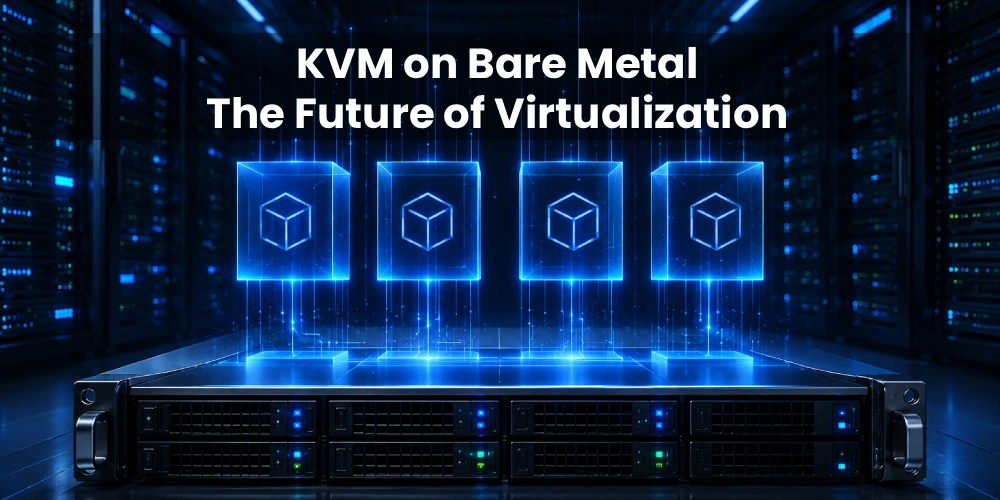
KVM on Bare Metal: The Future of Virtualization

KVM on Bare Metal: The Future of Virtualization

Discover why tech leaders are moving to KVM on dedicated servers. Unlock near-native performance, complete hardware control, and lower cloud costs.

CCPA vs. GDPR: How Dedicated Servers Support Compliance

CCPA vs. GDPR: How Dedicated Servers Support Compliance

Avoid massive privacy fines. Compare CCPA vs GDPR and discover how secure dedicated server hosting can support your US business compliance.

The Blueprint for Bare Metal Server Automation

The Blueprint for Bare Metal Server Automation

Learn the mechanics of bare metal automation. Explore out-of-band management, CI/CD provisioning, and secure lifecycle protocols for dedicated servers.

Why Choose a USA Dedicated Server for Gaming?

Why Choose a USA Dedicated Server for Gaming?

Where should you host your multiplayer game? Discover the best US regions for low latency, top hardware, and robust DDoS protection.

The Real Advantage of Japan Dedicated Servers

The Real Advantage of Japan Dedicated Servers

Discover the strategic benefits of Japan dedicated servers. Learn why Tokyo is the ultimate APAC hub for low latency, high security, and performance.

Dedicated Server Security Checklist

Dedicated Server Security Checklist

Secure your dedicated server with SSH hardening, firewalls, CrowdSec, WAF protection, backups, and Linux server hardening best practices for 2026.

Kubernetes Runtime Security with eBPF and Cilium Tetragon

Kubernetes Runtime Security with eBPF and Cilium Tetragon

Learn how Kubernetes Runtime Security works with eBPF and Cilium Tetragon. Detect container escapes, reverse shells, lateral movement, data exfiltration, and runtime threats in real time.

Running NVIDIA Nemotron 3 Nano Omni on a GPU Dedicated Server

Running NVIDIA Nemotron 3 Nano Omni on a GPU Dedicated Server

Learn how to deploy NVIDIA Nemotron 3 Nano Omni for multimodal AI workloads. Explore GPU requirements, performance considerations, and dedicated server hosting.

What to Look for in a UK Dedicated Server & Data Center

What to Look for in a UK Dedicated Server & Data Center

A practical guide to choosing high-performance UK dedicated servers, carrier-neutral data centers, and enterprise infrastructure for modern business workloads.

Servers99 Now Accepts Cryptocurrency Payment

Servers99 Now Accepts Cryptocurrency Payment

Servers99 now accepts Bitcoin (BTC) & USDT TRC20 for high-performance dedicated servers. Strict KYC applies. No refunds on crypto.

A100 vs H100 GPU Servers: Which Is Best for AI Workloads

A100 vs H100 GPU Servers: Which Is Best for AI Workloads

Compare NVIDIA A100 vs H100 GPU dedicated servers. Discover which bare-metal GPU offers the best performance and TCO for AI training

Best UK Dedicated Server Hosting: The Ultimate Guide

Best UK Dedicated Server Hosting: The Ultimate Guide

Find the best UK dedicated server! Explore top locations, bare-metal hardware, and compliance in our complete guide.

Windows vs Linux Server, which OS is Best for You?

Windows vs Linux Server, which OS is Best for You?

Compare Windows vs Linux dedicated servers. Discover performance benchmarks, costs, and the exact use cases to make the right choice

Scale Gemma 4 Local AI with GPU Dedicated Servers

Scale Gemma 4 Local AI with GPU Dedicated Servers

Running Gemma 4 on an RTX PC? Learn when it’s time to upgrade your local agentic AI to a secure, high-performance GPU server from Servers99

Which NVIDIA GPU Server is Best for AI in 2026?

Which NVIDIA GPU Server is Best for AI in 2026?

Compare the best NVIDIA GPU servers for AI in 2026. Explore Blackwell, Hopper & RTX architectures, and find high-performance dedicated or cloud GPU servers.

5 Criteria for Choosing Colocation Centers

5 Criteria for Choosing Colocation Centers

Discover the 5 essential criteria for selecting the best colocation data center. Learn how to evaluate security, uptime, location, and IT scalability.

Why AI Models Run Faster on Bare Metal

Why AI Models Run Faster on Bare Metal

Discover how dedicated servers eliminate virtualization overhead, delivering lower latency and maximum GPU throughput for intensive AI workloads.

NVIDIA RTX PRO Server Changes the Way Game Studios Use GPU Infrastructure

NVIDIA RTX PRO Server Changes the Way Game Studios Use GPU Infrastructure

Learn how NVIDIA RTX PRO Server and the RTX PRO 6000 Blackwell Server Edition support virtualized game development, and rendering

The Role of Dedicated Servers in Disaster Recovery and Business Continuity

The Role of Dedicated Servers in Disaster Recovery and Business Continuity

Discover how dedicated servers support disaster recovery and business continuity with predictable performance, backup flexibility, and RAID options

Top 9 Best Dedicated Server Locations in USA

Top 9 Best Dedicated Server Locations in USA

Where should you host your US dedicated server? Compare Ashburn, Dallas, LA & more. Deploy high-performance bare metal servers today with Servers99

AMD Ryzen™ AI Software 1.7: A New Era for Local AI and Server-Side Inference

AMD Ryzen™ AI Software 1.7: A New Era for Local AI and Server-Side Inference

Discover the power of AMD Ryzen™ AI Software 1.7. Featuring Gemma-3 support, MoE architecture, and 2x lower latency for efficient server-side AI inference

Are You Looking for Cheap Dedicated Servers Under $100?

Are You Looking for Cheap Dedicated Servers Under $100?

Looking for high-performance dedicated servers in USA? Servers99 offers AMD & Intel hosting starting at $37/mo with 250Gbps DDoS Protection.

The Gamer’s Worst Enemy

The Gamer’s Worst Enemy

In the world of online gaming, there is one villain that everyone fears more than the final boss: LAG....

Top Dedicated Servers USA in 2026

Top Dedicated Servers USA in 2026

Looking for the best dedicated server in 2026? We compare Servers99 vs. Hetzner, OVH, and OneProvider. Discover why Servers99 is the ultimate choice...

Managed cPanel Dedicated Server Hosting

Managed cPanel Dedicated Server Hosting

Scaling a web hosting business or managing enterprise-level applications requires a delicate balance between raw computing power and operational efficiency.

VPS VS Dedicated Server Comparison

VPS VS Dedicated Server Comparison

Is your VPS slow? Discover why upgrading to a Dedicated Server is the best move for performance and security

Best Dedicated Server Australia (2025 Guide)

Best Dedicated Server Australia (2025 Guide)

Our 2025 guide to finding the best bare metal servers in Sydney, Melbourne, Brisbane & Perth...

The USA Dedicated Server Blueprint

The USA Dedicated Server Blueprint

Our in-depth guide to USA dedicated servers, from custom 1000TB storage and 100Gbps unmetered ports to BGP, colocation, and security.

The Ultimate Guide to Germany Dedicated Servers | Servers99

The Ultimate Guide to Germany Dedicated Servers | Servers99

Discover the benefits of a Germany dedicated server with Servers99. Get unmatched performance, low latency via DE-CIX, and ironclad GDPR compliance. Read our ultimate 2025 guide...

How to Choose a Netherlands Dedicated Server | Expert Guide

How to Choose a Netherlands Dedicated Server | Expert Guide

Are you tired of sluggish site speeds, fighting for resources on a crowded shared server, or watching your rankings plummet? When your digital presence is your business, good enough hosting isn't good enough...

The 2025 Ultimate Guide: Singapore Dedicated Servers

The 2025 Ultimate Guide: Singapore Dedicated Servers

Looking for the best Singapore dedicated server? Our 2025 guide explores Tier III data centers, low-latency networks, and the hardware you need to dominate the APAC market. Get the facts now...

Why a Dedicated IP Address Matters for Your Website Hosting

Why a Dedicated IP Address Matters for Your Website Hosting

In this blog, we’ll explain what a dedicated IP is, how it differs from a shared IP, and why using a dedicated IP address can bring significant benefits to your website...

The Ultimate Guide to Hosting Your Own Website

The Ultimate Guide to Hosting Your Own Website

Whether you're a startup, tech enthusiast, or growing business, hosting your own site gives you full control, better performance, and more customization options...

Essential Tools for Network Troubleshooting in Windows Server

Essential Tools for Network Troubleshooting in Windows Server

Windows Server offers a robust suite of built-in tools designed to help system administrators quickly diagnose and resolve network-related problems.....

Common Windows Server Network Problems and How to Fix Them

Common Windows Server Network Problems and How to Fix Them

Learn how to use built-in Windows Server tools like ipconfig, ping, tracert, and Event Viewer to troubleshoot and fix common network issues efficiently....

Canada’s Best Dedicated Servers – Powered by Servers99!

Canada’s Best Dedicated Servers – Powered by Servers99!

Are you looking for powerful and reliable dedicated servers in Canada? At Servers99, we provide top-quality hosting solutions to help your business succeed.....

Researchers Find Ways to Make Data Centers More Eco-Friendly as They Grow

Researchers Find Ways to Make Data Centers More Eco-Friendly as They Grow

Servers use a lot of energy in data centers, but what many don’t realize is that their environmental impact starts even before they’re placed in...

CPUs vs GPUs Understanding the Differences

CPUs vs GPUs Understanding the Differences

This article provides a comprehensive look at the differences between CPUs and GPUs, how they function, their historical evolution, and their significance in modern computing....

What is Border Gateway Protocol?

What is Border Gateway Protocol?

Border Gateway Protocol (BGP) is a system that helps decide the best path for data to travel on the internet, similar to how the postal service finds the fastest way to deliver mail...

Understanding DNS in Web Hosting

Understanding DNS in Web Hosting

The internet connects devices, servers, and websites using unique addresses called IP addresses. These addresses are made up of numbers because computers understand numbers only. However, it is hard for...

A Simple Guide What is Network Latency?

A Simple Guide What is Network Latency?

Network latency is the time it takes for data to travel from a client to a server and back. When a client sends a request, the data passes through various steps, including local gateways and multiple routers...

1