KNOD Explained: How Linux Uses AMD GPUs to Bypass CPU Network Bottlenecks

Modern data centers are routinely pushing link speeds of 100Gbps to 400Gbps, creating a massive bottleneck for server infrastructure. While network interfaces can ingest data at blistering speeds, processing those packets—inspecting headers, applying L4 load balancing, or running IPsec decryption—historically falls on the CPU. At these velocities, dedicating CPU cores purely to network polling can become an expensive waste of compute resources.

To address this, Linux networking developers are looking toward a new hardware accelerator: the GPU.

Recently detailed at the Linux Plumbers Conference 2026 in Prague by developers Hoyeon Lee and Taehee Yoo, a new open-source project called KNOD (In-Kernel Network Offload Device) is turning heads. Instead of relying exclusively on expensive SmartNICs or Data Processing Units (DPUs), KNOD allows the Linux kernel to offload heavy network packet processing directly to consumer-grade AMD GPUs.

By leveraging the parallel execution lanes of a graphics card, early KNOD tests have reported impressive benchmarks, reaching up to 70 million packets per second (Mpps) on a Katran-derived XDP workload using an AMD Radeon PRO V620. More importantly, it does this by avoiding userspace runtimes like CUDA or ROCm in the data path.

In this guide, we will break down exactly how KNOD works, why its current reference implementation targets AMD hardware, and what this experimental shift means for the future of dedicated server hosting.
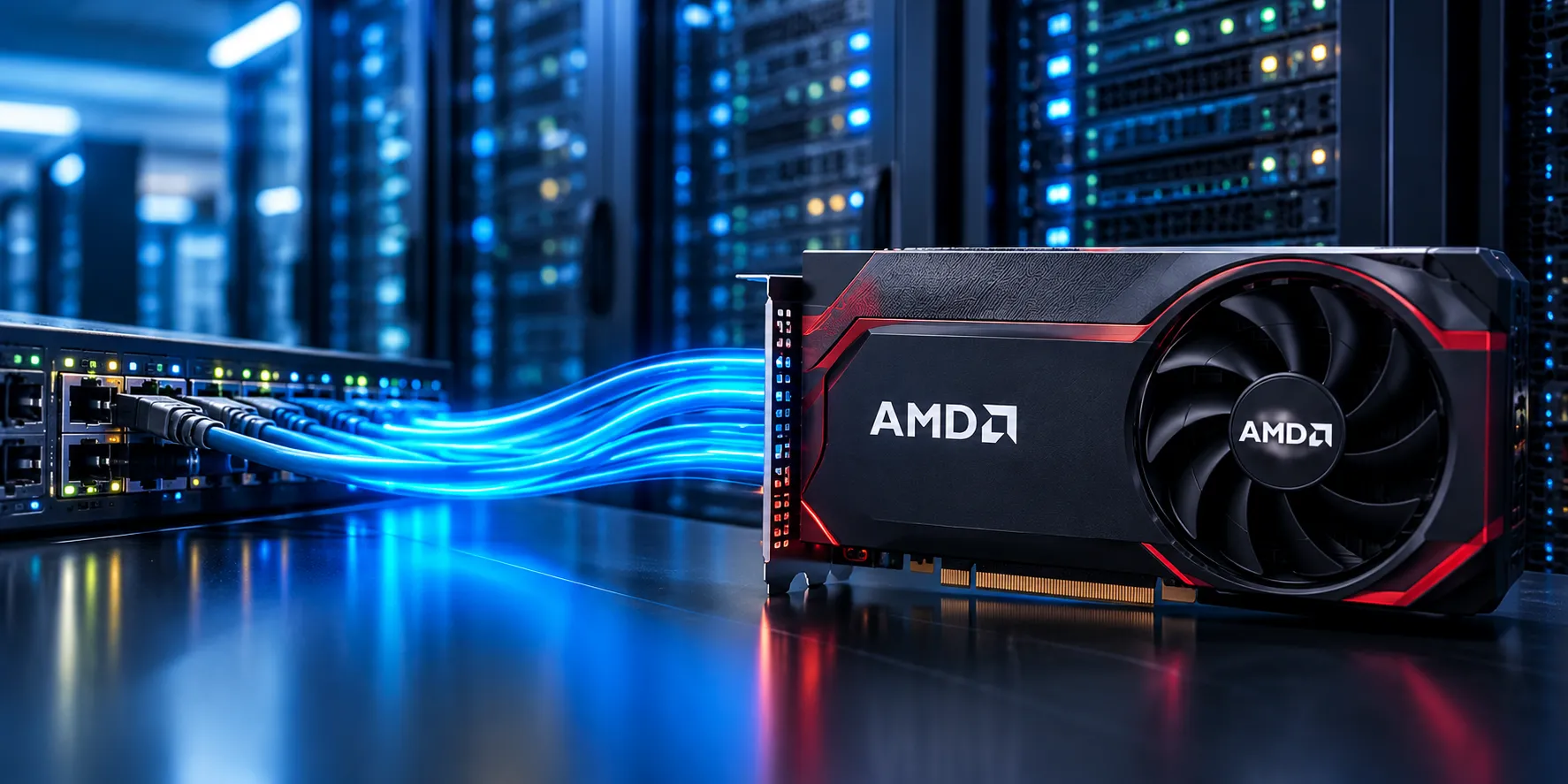
An AMD graphics card sits in a glowing blue data center as luminous streams of data flow past server racks, creating a sleek, high-tech atmosphere.

The Core Problem: Why CPUs Struggle with High-Speed Network Traffic

At the heart of the network bottleneck is a fundamental architecture mismatch. Server CPUs—whether AMD EPYC or Intel Xeon—are engineering marvels designed for low-latency, complex serial execution. They excel at running operating systems, managing databases, and executing dynamic web applications.

Traditional CPU-based packet processing can consume substantial compute resources at high packet rates. Although Linux networking already supports parallel processing across CPU cores and NIC queues (using mechanisms like RSS and NAPI), offloading selected per-packet operations to an accelerator may significantly reduce host CPU overhead for suitable workloads.

For data centers and dedicated server providers, CPU-bound packet processing creates several operational challenges:

  • Core Starvation: To process traffic at line-rate speeds without dropping packets, system administrators often pin multiple CPU cores exclusively to network polling tasks.
  • Reduced Server ROI: Every CPU core dedicated to sorting network traffic is a core that cannot be monetized. For hosting providers, those are resources that could have been allocated to client Virtual Machines (VMs) or resource-heavy applications.
  • Vulnerability to Traffic Spikes: During massive traffic surges, CPU resources can become exhausted just managing network interrupts and filtering packets, which can lead to service degradation for the actual applications hosted on the server.

The networking industry has long known that to scale efficiently, per-packet compute needs to be offloaded. This is where the KNOD project steps in, offering a software-driven framework that repurposes GPU hardware for networking workloads.

Enter KNOD: What is the In-Kernel Network Offload Device?

To reduce CPU overhead, Linux developers looked at the architecture of a graphics card. A GPU features thousands of smaller execution lanes designed to run the exact same operation across large batches of data simultaneously (SIMT). This hardware profile maps naturally onto high-volume network filtering.

KNOD (In-Kernel Network Offload Device) is an experimental Linux kernel framework designed to treat the GPU as a natively integrated networking accelerator.

Here is how the KNOD architecture routes and processes network traffic:

  • Direct Memory Access (DMA): In supported configurations, the Network Interface Card (NIC) DMAs incoming packets directly into memory that the GPU can access, avoiding unnecessary CPU-mediated copies.
  • Kernel-Level Compilation: The Linux kernel takes the supported packet-handling program (like specific XDP routines) and JIT-compiles it directly into AMD GPU machine code.
  • Parallel Execution: The GPU runs this networking program across a batch of packets simultaneously.
  • The Verdict: The GPU returns the processing result to the CPU—such as an XDP verdict to pass, drop, or redirect the packet—along with the specific packets destined for the host system.

The Game-Changing Feature: A Data Path Without Userspace GPU packet processing has been studied for over a decade, but earlier attempts typically routed data through userspace runtimes (like CUDA or ROCm), introducing latency overhead.

What makes KNOD unique is that it avoids these userspace intermediaries in the packet-processing data path. Kernel-managed execution handles the offloaded workload, while configuration and management can still utilize standard userspace Netlink control tools.

Why AMD GPUs First? (The Implementation Context)

A common question surrounding KNOD is why its current RFC heavily focuses on AMD hardware. The answer comes down to current kernel integration and driver architectures.

  • The AMD Integration: KNOD's current implementation relies heavily on the open-source amdgpu driver stack and AMD's GPU compute infrastructure. Because the driver is already integrated into the Linux mainline kernel, the developers were able to build the necessary memory management and execution queues. Active development largely centers on newer RDNA2 architectures (like the RX 6600) rather than older GCN hardware due to specific technical requirements like 64-bit atomics.
  • The Broader Ecosystem: While NVIDIA hardware is not currently supported by KNOD, this reflects the project's current implementation status rather than an absolute impossibility for future open-source development.
  • The Hardware Roadmap: The developer presentation indicates an interest in exploring future support for Intel Arc graphics and AMD integrated GPUs (APUs). If APU support proves viable, it could offer a highly power-efficient way to offload networking tasks, though the motherboard compatibility and opportunity costs of using the iGPU would still need to be evaluated.

Potential Applications for Servers & Data Centers

For dedicated server providers and data center engineers, KNOD’s theoretical architecture hints at several valuable applications, provided the framework reaches production maturity:

  • DDoS Mitigation Offload: GPU-based XDP offload could help reduce CPU overhead for supported packet-filtering workloads. While KNOD's current benchmarks do not establish production-grade DDoS mitigation effectiveness or guarantee service availability during an attack, shifting filtering logic to the GPU shows strong potential for preserving CPU cycles.
  • High-Speed L4 Load Balancing: Modern load balancers rely on XDP to inspect Layer 4 headers and route traffic. In developer tests, KNOD demonstrated up to 70 Mpps on a Katran-derived XDP workload, proving the framework can handle complex routing logic in a benchmark environment.
  • Receive-Side IPsec Decryption: KNOD's current proof of concept offloads inbound IPsec packet processing to an AMD GPU. The reported implementation reaches up to 80 Gbit/s in RX IPsec testing. (Note: Transmit-side offload and bidirectional production readiness should not be inferred from these results).
  • Potential Hardware Cost Reduction: If proven stable, repurposing consumer-grade graphics cards could offer a more accessible alternative to premium SmartNICs or DPUs, though total cost of ownership (including power draw and hardware integration) will need real-world validation.

The Challenges and Limitations of KNOD

Because KNOD fundamentally alters how the Linux kernel can handle network traffic, it introduces several unique engineering challenges:

  • Hardware Lock-In: KNOD is currently bound to specific AMD GPU architectures. Server infrastructures relying on other GPU vendors cannot test this framework at this time.
  • GPU Multitasking Constraints: While a GPU could technically process network packets and handle compute tasks (like AI training) simultaneously, doing so in a production environment is highly discouraged. Resource contention will cause latency spikes, leading to dropped packets. As a production engineering recommendation, a GPU used for KNOD should be dedicated solely to network offloading.
  • Kernel Stability: Because KNOD operates entirely inside the kernel, any bugs within the module have the potential to trigger a Kernel Panic, bringing the host offline. The code must be flawlessly audited before it can be trusted in live environments.
  • PCIe Bus Bottlenecks: While a modern PCIe 5.0 x16 slot offers a theoretical bandwidth of roughly 64 GB/s per direction (more than enough for a 400 Gbps / 50 GB/s link), actual throughput depends heavily on packet size, DMA overhead, and other active motherboard traffic (like NVMe storage).

Current Status: When Will KNOD Be Available?

While the benchmark numbers are promising, KNOD remains highly experimental. It is currently in the Request For Comments (RFC) stage on the Linux kernel mailing list.

Before it becomes a mainline Linux feature, it must pass rigorous upstream review across multiple complex kernel boundaries—including networking, BPF, and GPU driver subsystems.

KNOD's upstream integration is not guaranteed. Any future availability in major enterprise distributions such as Ubuntu, Debian, or AlmaLinux will depend entirely on upstream acceptance, kernel versioning, supported GPU drivers, and distribution packaging decisions.

Conclusion: The Future of Server Networking

The KNOD project represents a brilliant experimental shift in Linux networking. By recognizing that certain per-packet processing tasks can benefit from parallel execution lanes, developers are exploring a future where standard graphics cards serve as native, kernel-managed network accelerators.

For the hosting industry, this research points toward a future where reducing host CPU overhead doesn't strictly require proprietary networking hardware—potentially reclaiming valuable CPU cores to do what they do best: running your core applications.

Is your business ready for high-performance hosting today? While experimental frameworks like KNOD are still on the horizon, network bottlenecks are a problem you can solve right now. If you need robust networking, advanced DDoS protection, and maximum CPU availability for your workloads, explore our range of High-Performance Dedicated Servers engineered for enterprise reliability.


Recent Topics for you

How Linux Uses AMD GPUs to Bypass CPU Network Bottlenecks

How Linux Uses AMD GPUs to Bypass CPU Network Bottlenecks

Discover how Linux KNOD uses AMD GPUs for 70 Mpps network offloading, saving CPU cores and boosting performance for your dedicated servers.

Budget GPU Dedicated Servers in USA: Affordable Options

Budget GPU Dedicated Servers in USA: Affordable Options

Explore budget GPU dedicated servers in the USA under $500. Compare GPU options, use cases, locations, and affordable bare-metal server configurations.

KVM on Bare Metal: The Future of Virtualization

KVM on Bare Metal: The Future of Virtualization

Discover why tech leaders are moving to KVM on dedicated servers. Unlock near-native performance, complete hardware control, and lower cloud costs.

CCPA vs. GDPR: How Dedicated Servers Support Compliance

CCPA vs. GDPR: How Dedicated Servers Support Compliance

Avoid massive privacy fines. Compare CCPA vs GDPR and discover how secure dedicated server hosting can support your US business compliance.

The Blueprint for Bare Metal Server Automation

The Blueprint for Bare Metal Server Automation

Learn the mechanics of bare metal automation. Explore out-of-band management, CI/CD provisioning, and secure lifecycle protocols for dedicated servers.

Why Choose a USA Dedicated Server for Gaming?

Why Choose a USA Dedicated Server for Gaming?

Where should you host your multiplayer game? Discover the best US regions for low latency, top hardware, and robust DDoS protection.

The Real Advantage of Japan Dedicated Servers

The Real Advantage of Japan Dedicated Servers

Discover the strategic benefits of Japan dedicated servers. Learn why Tokyo is the ultimate APAC hub for low latency, high security, and performance.

Dedicated Server Security Checklist

Dedicated Server Security Checklist

Secure your dedicated server with SSH hardening, firewalls, CrowdSec, WAF protection, backups, and Linux server hardening best practices for 2026.

Kubernetes Runtime Security with eBPF and Cilium Tetragon

Kubernetes Runtime Security with eBPF and Cilium Tetragon

Learn how Kubernetes Runtime Security works with eBPF and Cilium Tetragon. Detect container escapes, reverse shells, lateral movement, data exfiltration, and runtime threats in real time.

Running NVIDIA Nemotron 3 Nano Omni on a GPU Dedicated Server

Running NVIDIA Nemotron 3 Nano Omni on a GPU Dedicated Server

Learn how to deploy NVIDIA Nemotron 3 Nano Omni for multimodal AI workloads. Explore GPU requirements, performance considerations, and dedicated server hosting.

What to Look for in a UK Dedicated Server & Data Center

What to Look for in a UK Dedicated Server & Data Center

A practical guide to choosing high-performance UK dedicated servers, carrier-neutral data centers, and enterprise infrastructure for modern business workloads.

Servers99 Now Accepts Cryptocurrency Payment

Servers99 Now Accepts Cryptocurrency Payment

Servers99 now accepts Bitcoin (BTC) & USDT TRC20 for high-performance dedicated servers. Strict KYC applies. No refunds on crypto.

A100 vs H100 GPU Servers: Which Is Best for AI Workloads

A100 vs H100 GPU Servers: Which Is Best for AI Workloads

Compare NVIDIA A100 vs H100 GPU dedicated servers. Discover which bare-metal GPU offers the best performance and TCO for AI training

Best UK Dedicated Server Hosting: The Ultimate Guide

Best UK Dedicated Server Hosting: The Ultimate Guide

Find the best UK dedicated server! Explore top locations, bare-metal hardware, and compliance in our complete guide.

Windows vs Linux Server, which OS is Best for You?

Windows vs Linux Server, which OS is Best for You?

Compare Windows vs Linux dedicated servers. Discover performance benchmarks, costs, and the exact use cases to make the right choice

Scale Gemma 4 Local AI with GPU Dedicated Servers

Scale Gemma 4 Local AI with GPU Dedicated Servers

Running Gemma 4 on an RTX PC? Learn when it’s time to upgrade your local agentic AI to a secure, high-performance GPU server from Servers99

Which NVIDIA GPU Server is Best for AI in 2026?

Which NVIDIA GPU Server is Best for AI in 2026?

Compare the best NVIDIA GPU servers for AI in 2026. Explore Blackwell, Hopper & RTX architectures, and find high-performance dedicated or cloud GPU servers.

5 Criteria for Choosing Colocation Centers

5 Criteria for Choosing Colocation Centers

Discover the 5 essential criteria for selecting the best colocation data center. Learn how to evaluate security, uptime, location, and IT scalability.

Why AI Models Run Faster on Bare Metal

Why AI Models Run Faster on Bare Metal

Discover how dedicated servers eliminate virtualization overhead, delivering lower latency and maximum GPU throughput for intensive AI workloads.

NVIDIA RTX PRO Server Changes the Way Game Studios Use GPU Infrastructure

NVIDIA RTX PRO Server Changes the Way Game Studios Use GPU Infrastructure

Learn how NVIDIA RTX PRO Server and the RTX PRO 6000 Blackwell Server Edition support virtualized game development, and rendering

The Role of Dedicated Servers in Disaster Recovery and Business Continuity

The Role of Dedicated Servers in Disaster Recovery and Business Continuity

Discover how dedicated servers support disaster recovery and business continuity with predictable performance, backup flexibility, and RAID options

Top 9 Best Dedicated Server Locations in USA

Top 9 Best Dedicated Server Locations in USA

Where should you host your US dedicated server? Compare Ashburn, Dallas, LA & more. Deploy high-performance bare metal servers today with Servers99

AMD Ryzen™ AI Software 1.7: A New Era for Local AI and Server-Side Inference

AMD Ryzen™ AI Software 1.7: A New Era for Local AI and Server-Side Inference

Discover the power of AMD Ryzen™ AI Software 1.7. Featuring Gemma-3 support, MoE architecture, and 2x lower latency for efficient server-side AI inference

Are You Looking for Cheap Dedicated Servers Under $100?

Are You Looking for Cheap Dedicated Servers Under $100?

Looking for high-performance dedicated servers in USA? Servers99 offers AMD & Intel hosting starting at $37/mo with 250Gbps DDoS Protection.

The Gamer’s Worst Enemy

The Gamer’s Worst Enemy

In the world of online gaming, there is one villain that everyone fears more than the final boss: LAG....

Top Dedicated Servers USA in 2026

Top Dedicated Servers USA in 2026

Looking for the best dedicated server in 2026? We compare Servers99 vs. Hetzner, OVH, and OneProvider. Discover why Servers99 is the ultimate choice...

Managed cPanel Dedicated Server Hosting

Managed cPanel Dedicated Server Hosting

Scaling a web hosting business or managing enterprise-level applications requires a delicate balance between raw computing power and operational efficiency.

VPS VS Dedicated Server Comparison

VPS VS Dedicated Server Comparison

Is your VPS slow? Discover why upgrading to a Dedicated Server is the best move for performance and security

Best Dedicated Server Australia (2025 Guide)

Best Dedicated Server Australia (2025 Guide)

Our 2025 guide to finding the best bare metal servers in Sydney, Melbourne, Brisbane & Perth...

The USA Dedicated Server Blueprint

The USA Dedicated Server Blueprint

Our in-depth guide to USA dedicated servers, from custom 1000TB storage and 100Gbps unmetered ports to BGP, colocation, and security.

The Ultimate Guide to Germany Dedicated Servers | Servers99

The Ultimate Guide to Germany Dedicated Servers | Servers99

Discover the benefits of a Germany dedicated server with Servers99. Get unmatched performance, low latency via DE-CIX, and ironclad GDPR compliance. Read our ultimate 2025 guide...

How to Choose a Netherlands Dedicated Server | Expert Guide

How to Choose a Netherlands Dedicated Server | Expert Guide

Are you tired of sluggish site speeds, fighting for resources on a crowded shared server, or watching your rankings plummet? When your digital presence is your business, good enough hosting isn't good enough...

The 2025 Ultimate Guide: Singapore Dedicated Servers

The 2025 Ultimate Guide: Singapore Dedicated Servers

Looking for the best Singapore dedicated server? Our 2025 guide explores Tier III data centers, low-latency networks, and the hardware you need to dominate the APAC market. Get the facts now...

Why a Dedicated IP Address Matters for Your Website Hosting

Why a Dedicated IP Address Matters for Your Website Hosting

In this blog, we’ll explain what a dedicated IP is, how it differs from a shared IP, and why using a dedicated IP address can bring significant benefits to your website...

The Ultimate Guide to Hosting Your Own Website

The Ultimate Guide to Hosting Your Own Website

Whether you're a startup, tech enthusiast, or growing business, hosting your own site gives you full control, better performance, and more customization options...

Essential Tools for Network Troubleshooting in Windows Server

Essential Tools for Network Troubleshooting in Windows Server

Windows Server offers a robust suite of built-in tools designed to help system administrators quickly diagnose and resolve network-related problems.....

Common Windows Server Network Problems and How to Fix Them

Common Windows Server Network Problems and How to Fix Them

Learn how to use built-in Windows Server tools like ipconfig, ping, tracert, and Event Viewer to troubleshoot and fix common network issues efficiently....

Canada’s Best Dedicated Servers – Powered by Servers99!

Canada’s Best Dedicated Servers – Powered by Servers99!

Are you looking for powerful and reliable dedicated servers in Canada? At Servers99, we provide top-quality hosting solutions to help your business succeed.....

Researchers Find Ways to Make Data Centers More Eco-Friendly as They Grow

Researchers Find Ways to Make Data Centers More Eco-Friendly as They Grow

Servers use a lot of energy in data centers, but what many don’t realize is that their environmental impact starts even before they’re placed in...

CPUs vs GPUs Understanding the Differences

CPUs vs GPUs Understanding the Differences

This article provides a comprehensive look at the differences between CPUs and GPUs, how they function, their historical evolution, and their significance in modern computing....

What is Border Gateway Protocol?

What is Border Gateway Protocol?

Border Gateway Protocol (BGP) is a system that helps decide the best path for data to travel on the internet, similar to how the postal service finds the fastest way to deliver mail...

Understanding DNS in Web Hosting

Understanding DNS in Web Hosting

The internet connects devices, servers, and websites using unique addresses called IP addresses. These addresses are made up of numbers because computers understand numbers only. However, it is hard for...

A Simple Guide What is Network Latency?

A Simple Guide What is Network Latency?

Network latency is the time it takes for data to travel from a client to a server and back. When a client sends a request, the data passes through various steps, including local gateways and multiple routers...

1